

You either love it or hate it, but nowadays, Notion has become such an omnipresent, indispensable tool in everyone’s arsenal that no one would be able to survive without it as an individual or as a team if they are trying to streamline the workflow and boost productivity. Notion is a versatile knowledge management tool & digital workspace which provides you with options to change how your team works and collaborates.
In this comprehensive guide, we will reveal five game changing Notion workflow tips, how to construct valuable teams wikis and how to utilize productivity systems.
While exploring Notion Workflow to Revolutionize Your Workflow, check out our main post on Discover The 5 Best Free Project Management Software
5 Notion Workflow Tricks
Here’s a quick summary of the five Notion workflow tricks we’ll explore in detail:
- Master Database Relations and Rollups
- Implement Advanced Templating
- Leverage Notion’s API for Automation
- Create Interactive Dashboards
- Utilize Notion AI for Enhanced Productivity
Table of Contents
1. Master Database Relations and Rollups
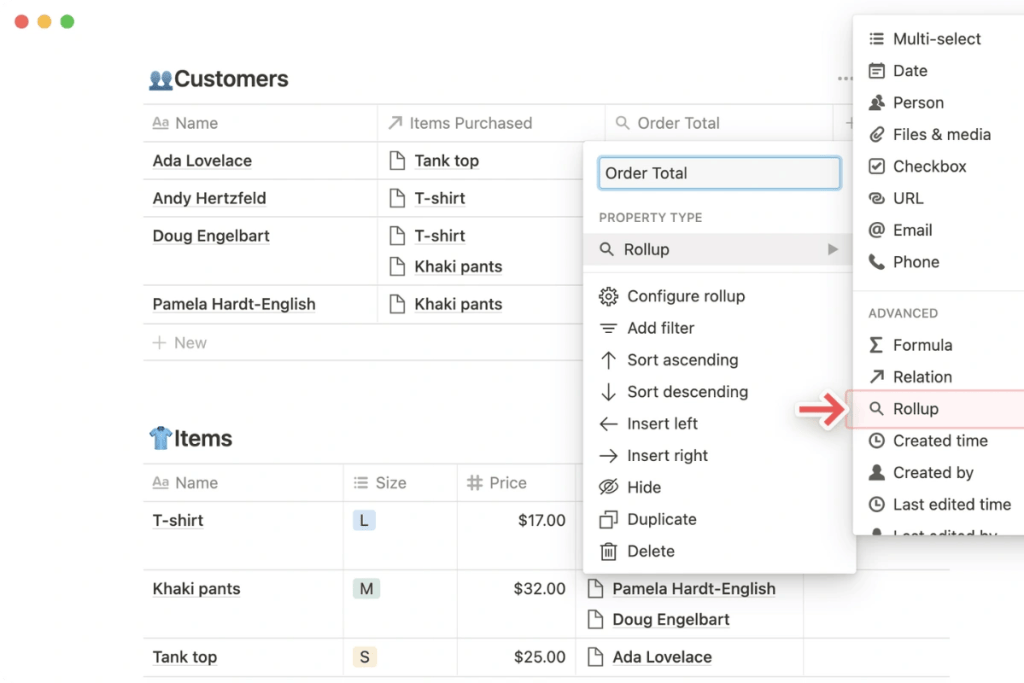
One of the most powerful features of Notion is its ability to create complex database relationships and use rollup properties. This functionality can significantly enhance your knowledge management and workflow optimization.
| Feature | Usage | Benefit | Link |
|---|---|---|---|
| Relations | Link related items across databases | Improved organization | Relations Guide |
| Rollups | Aggregate data from related databases | Enhanced data analysis | Rollups Guide |
| Formulas | Create custom calculations | Advanced data manipulation | Formulas Guide |
Create Meaningful Relations: Use relations to link related items across different databases. For example, you could link projects to team members, tasks to projects, and resources to tasks.
Leverage Rollup Properties: Use rollups to aggregate data from related databases. This can help you quickly see important information like total task count per project or total time spent by each team member.
Implement Advanced Formulas: Combine relations and rollups with Notion’s formula property to create powerful custom calculations and conditional formatting.
By mastering these database features, you can create a robust knowledge management system that serves as the backbone of your productivity system.
If you’re looking for more advanced project management features, explore how Asana can supercharge your team’s productivity with its robust task tracking capabilities.
2. Implement Advanced Templating
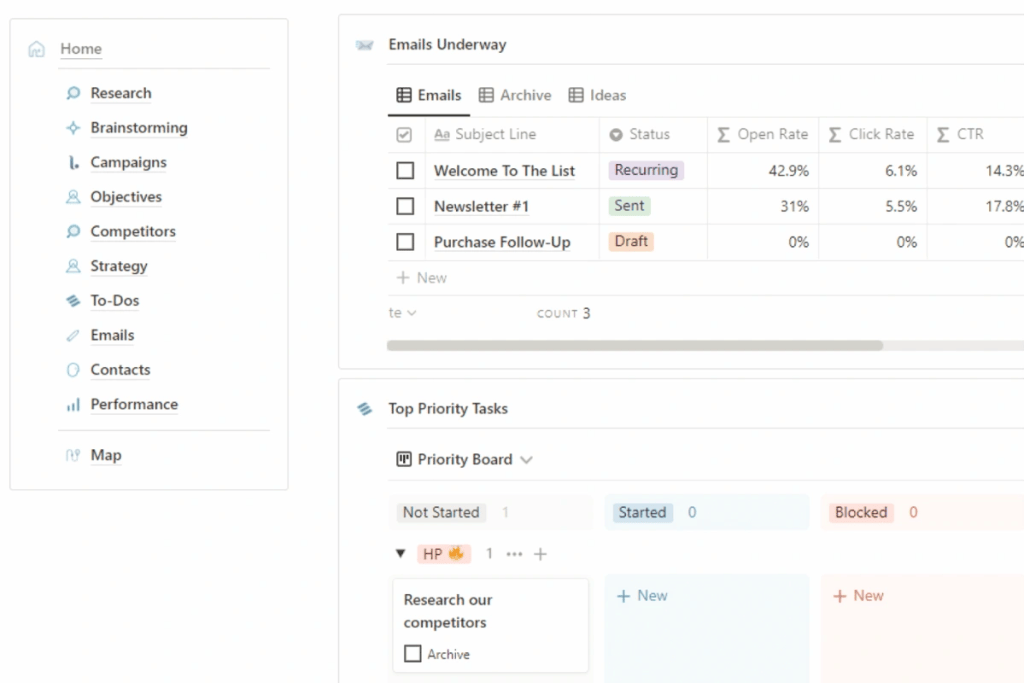
Notion’s templating capabilities are a game-changer for creating consistent and efficient workflows. By setting up advanced templates, you can save time and ensure consistency across your digital workspace.
| Template Type | Usage | Benefit | Link |
|---|---|---|---|
| Page Templates | Standardize page structures | Consistency in documentation | Page Templates Guide |
| Database Templates | Pre-fill database entries | Streamlined data entry | Database Templates Guide |
| Button Templates | Create interactive workflows | Enhanced user experience | Button Templates Guide |
Create Comprehensive Page Templates: Develop templates for common page types like meeting notes, project briefs, or weekly reviews. Include all necessary sections and prompts to ensure thorough documentation.
Utilize Database Templates: Set up database templates with pre-filled properties to streamline data entry. This is particularly useful for project management or task tracking databases.
Implement Button Templates: Use Notion’s button feature to create interactive workflows. For example, you could create a “New Task” button that automatically creates a task with predefined properties.
By implementing advanced templating, you can create a more efficient and user-friendly digital workspace.
3. Leverage Notion’s API for Automation
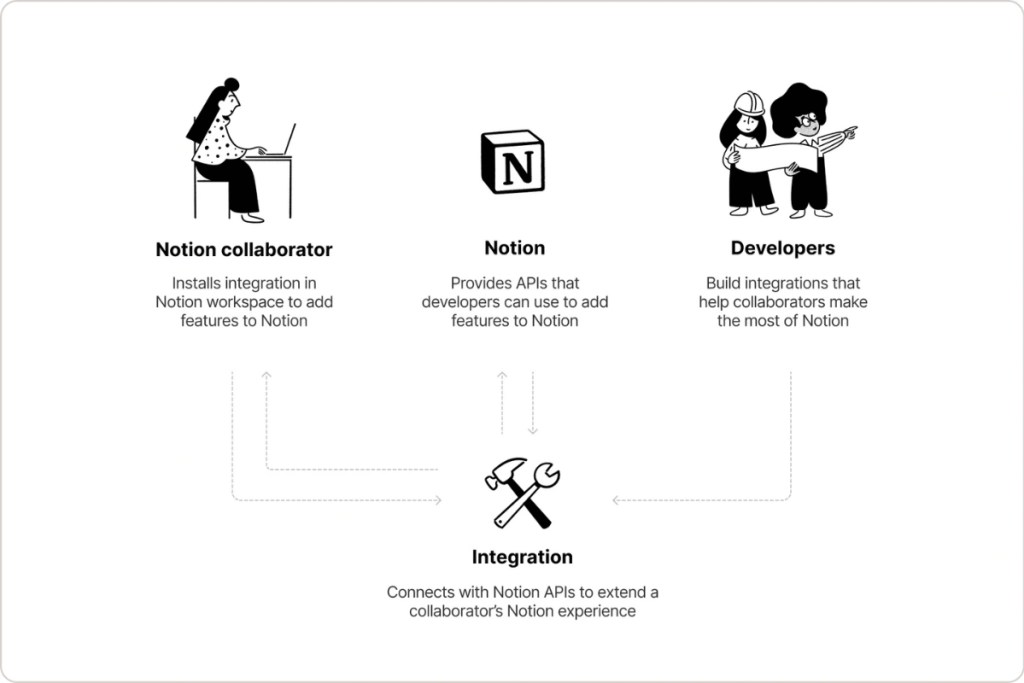
Notion’s API opens up a world of possibilities for automating your workflow and integrating with other tools. While this requires some technical knowledge, the benefits can be substantial.
| Automation Type | Example | Benefit | Link |
|---|---|---|---|
| External Integrations | Sync with other tools | Streamlined workflow | API Documentation |
| Custom Scripts | Automate repetitive tasks | Time-saving | API Guides |
| Webhooks | Real-time updates | Improved responsiveness | Webhooks Guide |
Integrate with External Tools: Use the API to sync Notion with other tools your team uses. For example, you could automatically create Notion tasks from GitHub issues or sync calendar events.
Create Custom Scripts: Develop scripts to automate repetitive tasks. This could include things like weekly report generation or task assignment based on certain criteria.
Implement Webhooks: Use webhooks to trigger actions in other systems when changes occur in Notion. This can help keep your entire tech stack in sync.
Leveraging Notion’s API can take your productivity system to the next level by automating routine tasks and ensuring data consistency across your tools.
For teams that require even more advanced database management and automation, check out these powerful Airtable hacks that can enhance your project workflow.
4. Create Interactive Dashboards
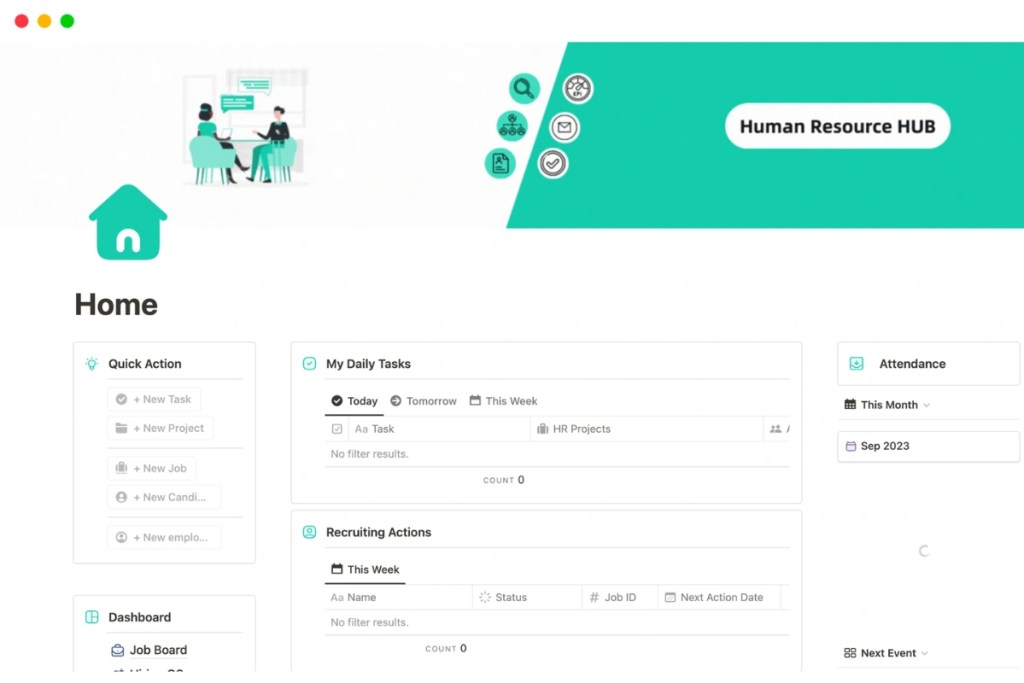
Notion’s flexible layout options allow you to create powerful, interactive dashboards that can serve as central hubs for your teams wikis and project management.
| Dashboard Element | Usage | Benefit | Link |
|---|---|---|---|
| Database Views | Visualize data in various formats | Enhanced data comprehension | Database Views Guide |
| Embedded Content | Integrate external resources | Centralized information | Embeds Guide |
| Linked Databases | Display relevant data from multiple sources | Improved context | Linked Databases Guide |
Utilize Various Database Views: Combine different view types (table, board, calendar, etc.) to present information in the most useful format for each purpose.
Embed Relevant Content: Use Notion’s embed feature to incorporate external resources directly into your dashboard. This could include things like Google Analytics charts or Figma designs.
Link Related Databases: Use linked database views to pull in relevant information from other databases, creating a comprehensive overview of your projects or team activities.
By creating interactive dashboards, you can provide your team with a central hub for information and collaboration, enhancing your teams wikis and overall productivity.
If your growing team needs a more comprehensive solution that combines CRM with project management, discover these top software options tailored for scaling businesses.
5. Utilize Notion AI for Enhanced Productivity
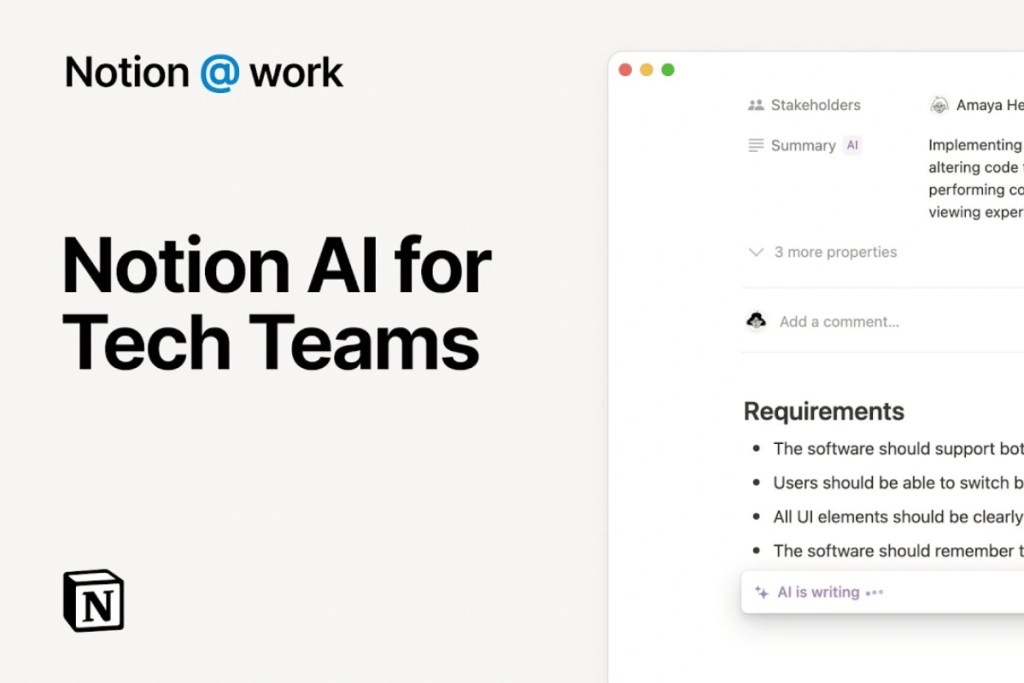
Notion’s AI capabilities can significantly boost your productivity by assisting with content creation, summarization, and ideation.
| AI Feature | Usage | Benefit | Link |
|---|---|---|---|
| Content Generation | Draft articles or reports | Time-saving | Notion AI Guide |
| Summarization | Condense long texts | Improved information processing | AI Summarization |
| Brainstorming | Generate ideas or outlines | Enhanced creativity | AI Brainstorming |
Leverage AI for Content Creation: Use Notion AI to draft initial versions of articles, reports, or project plans. This can significantly speed up your writing process.
Implement AI Summarization: Use the AI to summarize long documents or meeting notes, making it easier to extract key information quickly.
Enhance Brainstorming with AI: Utilize Notion AI for generating ideas or creating outlines for new projects or content.
By incorporating Notion AI into your workflow, you can save time on routine tasks and focus more on high-value activities.
While Notion excels in knowledge management, teams focused on visual task organization might find Trello’s board-based approach more suitable for certain projects.
Conclusion
These five Notion workflow tricks are the master’s way of getting you to the point of no return. Using advanced database features, complete templates, automated processes through the API, interactive dashboards, and Notion AI you can take Notion from a simple notes app into a very potent productivity system and great knowledge management tools.
The key to success with any digital workspace tool is consistency, and continuous improvement. Remember. If you don’t review your processes regularly, ask your team for feedback and you don’t take an opportunity to experiment with a new feature, then you’re definitely losing out on a great opportunity. By practicing and persisting, you will likely realize Notion can be used in ways that dramatically improve how you house, hustle, and hustle with your team.
With all the flexibility and infrastructure Notion is built on, you can be an individual enhancing your personal workflow or potentially a team building comprehensive teams wikis. If you can integrate the strategies in this guide into your workflow, you’ll soon find yourself revolutionizing it and improving productivity.
Remember, while Notion is a versatile tool for many teams, it’s always worth exploring other options to find the perfect fit for your specific workflow needs and project types.


